Recording & Reporting
AsyncAnticheat provides in-game tools for staff to record suspected cheaters and report detection issues.
In-Game Recording
Staff members can record suspected cheaters directly from in-game. This captures all packet data during the recording for later analysis by the detection modules.
Commands
| Command | Description |
|---|---|
/aac record <player> <type> [label] | Start recording a player |
/aac record stop [player] | Stop recording (omit player to stop all your recordings) |
/aac record status | Show all active recordings |
Cheat Types
When starting a recording, specify the suspected cheat type:
| Type | Description |
|---|---|
killaura | Automated combat, hitting without looking |
aimbot | Aim assistance, snapping to targets |
reach | Hitting from too far away |
autoclicker | Automated clicking beyond human limits |
speed | Moving faster than allowed |
fly | Unauthorized flight |
scaffold | Automated bridge building |
bhop | Bunny hopping / speed jumps |
nofall | No fall damage |
antiknockback | Ignoring knockback |
xray | Seeing through blocks |
other | Any other suspected cheat |
Example Usage
# Start recording a suspected aimbot user
/aac record SuspiciousPlayer aimbot

# Start recording with a label for context
/aac record SuspiciousPlayer killaura "PvP arena fight"

# Check active recordings
/aac record status

# Stop recording a specific player
/aac record stop SuspiciousPlayer

# Stop all your active recordings
/aac record stop
How It Works
- Start Recording: When you run
/aac record, the plugin begins capturing all packets from that player - Recording Active: A marker is added to the packet stream identifying this as a recording session
- Stop Recording: When stopped (or player disconnects), the recording is submitted to the API
- Analysis: The detection modules re-analyze the recorded session with higher scrutiny
- Review: Results appear in the dashboard under the player’s findings
Permissions
| Permission | Description |
|---|---|
asyncanticheat.record | Allows use of /aac record commands |
Tips for Good Recordings
- Record for at least 30 seconds - Short recordings may not capture enough data
- Include combat if possible - If suspecting combat cheats, engage or watch them fight
- Note what you observed - Use the label field to describe suspicious behavior
- Don’t alert the player - Recordings work silently; the target isn’t notified
Reporting Issues
Your feedback helps improve AsyncAnticheat’s detection accuracy. This guide explains how to report false positives and missed detections.
False Positives
A false positive occurs when a legitimate player is incorrectly flagged as cheating.
Common Causes
- High latency or packet loss
- Unusual but legitimate gameplay (e.g., MLG water bucket)
- Server lag spikes
- Edge cases in movement physics
How to Report
- Go to the Findings page
- Find the incorrect detection
- Click the flag icon (🚩) next to the finding
- Fill out the report form:
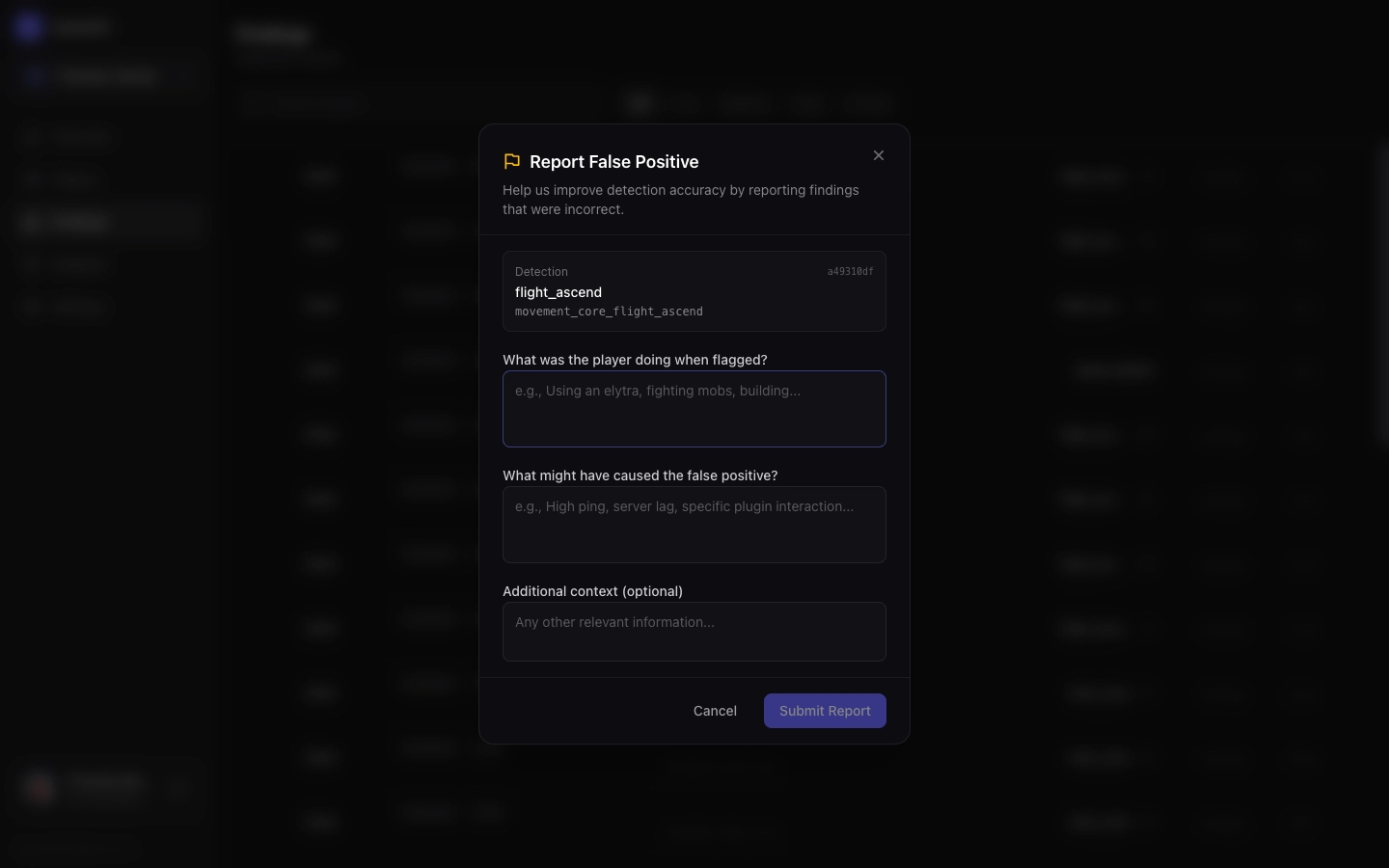
What to include:
| Field | Description |
|---|---|
| What was the player doing? | Describe their activity (e.g., “bridging across a gap”, “PvP fight”) |
| Why do you think it’s a false positive? | Your reasoning (e.g., “player has 200ms ping”, “known trusted player”) |
| Additional context | Any other relevant information |
Tips for Good Reports
- Be specific about what the player was doing
- Mention any server conditions (lag, TPS drops)
- Include player latency if known
- Note if this player is a known trusted user
Missed Detections
A missed detection occurs when a cheater is not flagged by the system.
How to Report
- Go to the Players page
- Find the cheating player
- Click on their player card
- Click “Report undetected cheat”
- Fill out the report form:
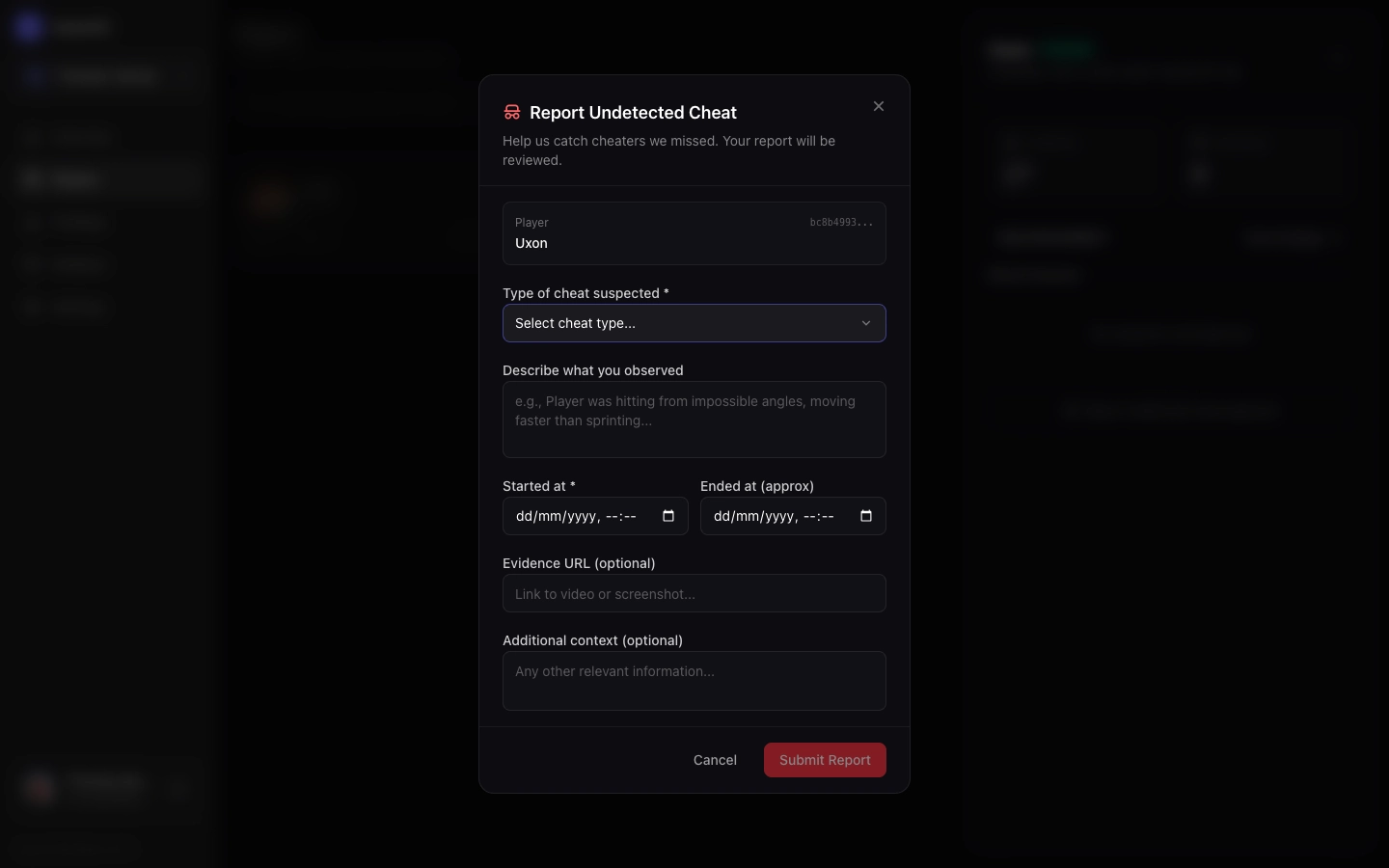
What to include:
| Field | Description |
|---|---|
| Cheat type | Select the category (speed, flight, killaura, etc.) |
| Description | Describe what you observed |
| Timeframe | When did the cheating occur? (select within the session) |
| Evidence URL | Link to video evidence if available |
| Additional context | Any other relevant information |
Tips for Good Reports
- Be specific - “Flying 50 blocks above ground” is better than “was flying”
- Include timeframe - The more precise, the easier to analyze
- Provide evidence - Video recordings are extremely helpful
- Note the cheat client - If you know what client they were using, mention it
What Happens Next?
When you submit a report:
- Logged - Your report is stored in our database
- Analyzed - We review the packet data from that session
- Tuned - Detection thresholds are adjusted if needed
- Updated - Improved detection is deployed to modules
You may not see immediate results, but every report helps improve the system for everyone.
Report Quality Guidelines
Good Reports ✅
“Player was speedbridging normally at 1.9 CPS, got flagged for scaffold_sprint. They have 150ms ping and this is a normal bridging technique on our server.”
“Known cheater using Vape client. Was hitting players from 5+ blocks away, snap-aiming to heads. Happened around 14:30 UTC. Video: [link]“
Poor Reports ❌
“false positive”
“this player was hacking”
The more context you provide, the more useful your report becomes!
Bulk Reporting
If you have many reports to submit (e.g., after reviewing a play session), you can:
- Submit them one at a time through the dashboard
- Contact us on Discord for bulk submission tools
- Export your findings and email them to us
Privacy Note
Reports are associated with your account and the server. We use this data only to improve detection accuracy. Player UUIDs and gameplay data are handled according to our privacy policy.