Dashboard Overview
The AsyncAnticheat dashboard provides real-time visibility into cheat detection on your Minecraft server.
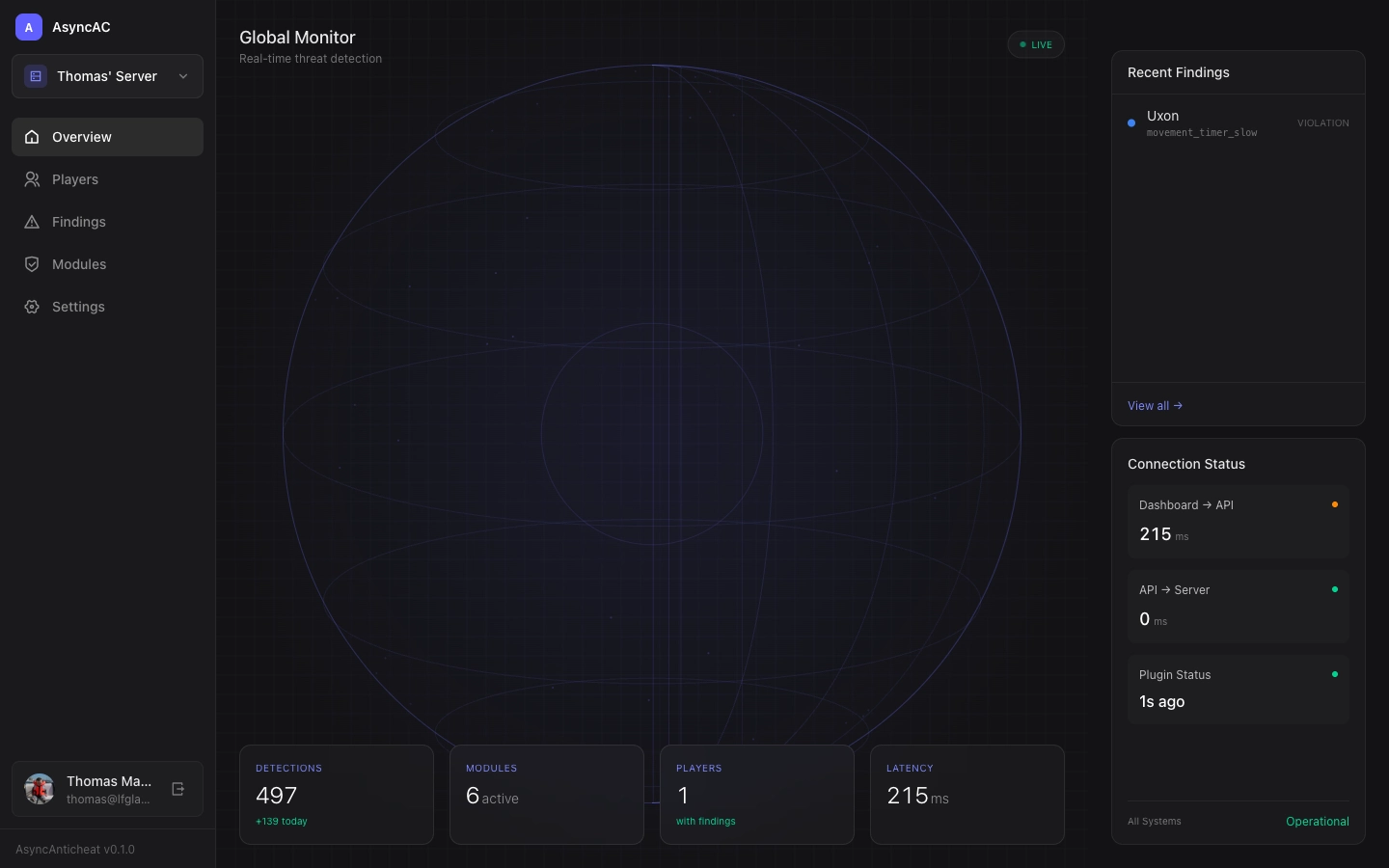
Accessing the Dashboard
- Go to asyncanticheat.com/dashboard
- Sign in with your account
- Select your server from the dropdown
Main Components
Global Monitor
The central visualization shows your server’s activity in real-time:
- Player positions appear as dots on the radar
- Active findings pulse to draw attention
- LIVE indicator confirms real-time data flow
Stats Panel
Quick metrics at the bottom:
| Metric | Description |
|---|---|
| Detections | Total findings, with today’s count highlighted |
| Modules | Number of active detection modules |
| Players | Players with at least one finding |
| Latency | Round-trip time to the API |
Recent Findings
The right panel shows the latest detections:
- Click any finding to see player details
- View all → opens the full Findings page
Connection Status
Monitor your infrastructure health:
| Status | Meaning |
|---|---|
| Dashboard → API | Latency from your browser to our API |
| API → Server | TCP ping from API to your Minecraft server (optional) |
| Plugin Status | Time since last data from your plugin |
How Plugin Status Works
The plugin sends data to the API whenever there’s activity. The “Plugin Status” shows how long ago the last data was received. A plugin is considered online if data was received within the last 2 hours.
Note: If your server has no players, the plugin may only send keep-alive pings infrequently. This is normal—the plugin batches packets and only uploads when there’s meaningful data.
API → Server Ping
The “API → Server” connection status shows TCP ping results from our API to your Minecraft server (default port 25565).
Automatic Detection: The server address is automatically detected from your plugin’s IP address when it connects to the API. This happens automatically—no configuration needed for most setups.
Manual Override: If auto-detection doesn’t work (e.g., your server is behind NAT or uses a different public address), you can set the address explicitly in your plugin’s config.yml:
api:
  url: https://api.asyncanticheat.com
  token: your-token-here
  server_address: play.yourserver.com:25565  # Optional override
The priority order is:
- Explicit
server_addressin config (if set) - Auto-detected from plugin’s connection IP
If no address is configured or detected, this metric is hidden and doesn’t affect your overall status.
Navigation
Use the sidebar to access different sections:
- Overview - Main dashboard (this page)
- Players - View player sessions and history
- Findings - Browse all detections
- Modules - Configure detection modules
- Settings - Server configuration
Server Selector
If you have multiple servers, use the dropdown at the top of the sidebar to switch between them.
Real-Time Updates
The dashboard automatically refreshes data every few seconds. You don’t need to manually refresh the page to see new findings or player activity.