Findings Page
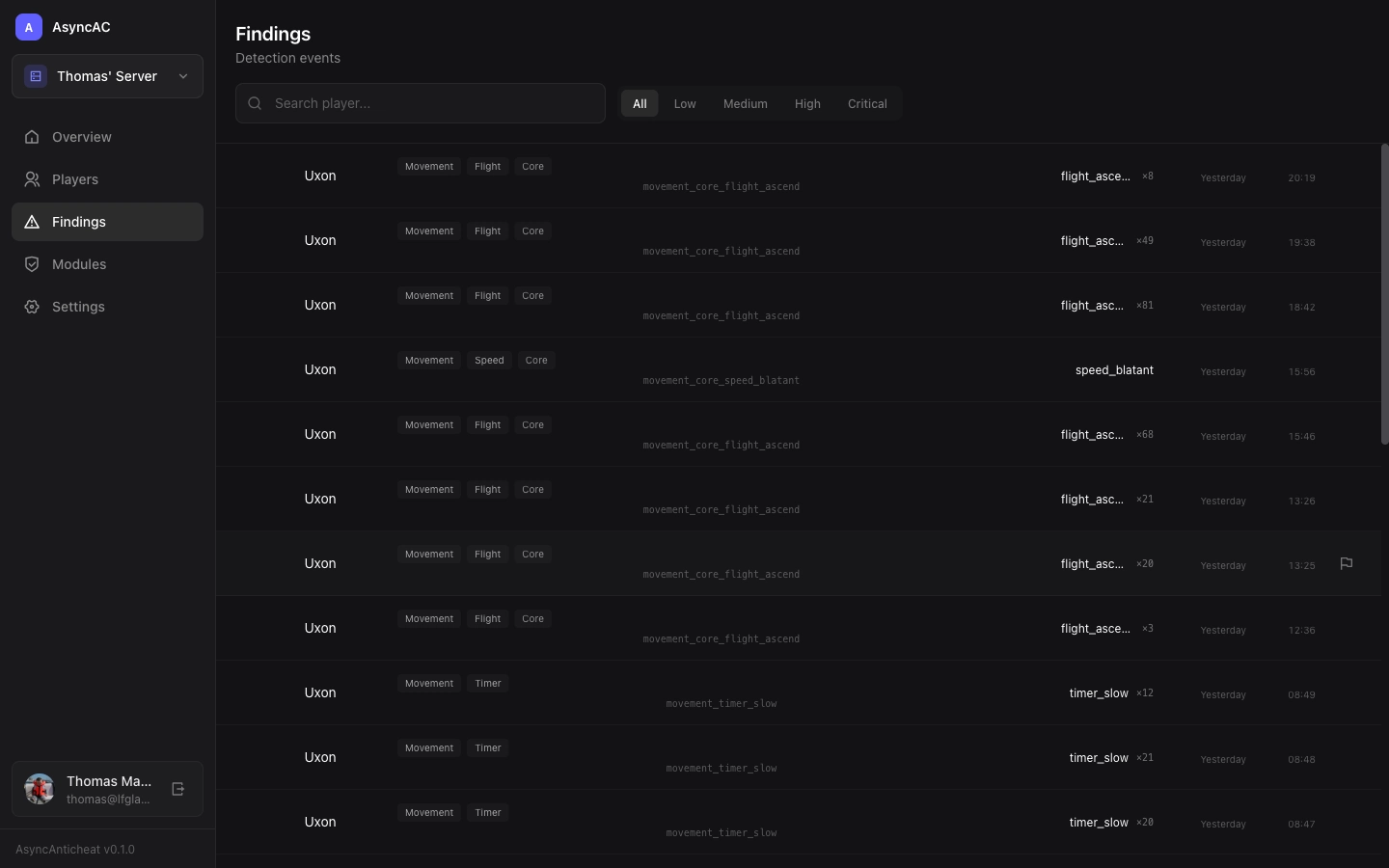
The Findings page displays all detections from your server’s detection modules.
What is a Finding?
A finding (also called a violation or detection) occurs when a detection module identifies suspicious behavior. Each finding includes:
- Player - Who triggered the detection
- Check - Which specific check flagged them
- Severity - How confident the system is (low, medium, high, critical)
- Timestamp - When it occurred
- Count - How many times this check triggered for this player
Finding List
Findings are grouped by player and sorted by recency. Each entry shows:
- Player name and avatar
- Check name (e.g.,
movement_timer_slow) - Severity badge - Color-coded by confidence level
- Count - Total triggers for this check
Severity Levels
| Level | Color | Meaning |
|---|---|---|
| Critical | Red | Definitive cheat detection, immediate action recommended |
| High | Orange | Strong indication of cheating |
| Medium | Amber | Moderate suspicion, review recommended |
| Low | Blue | Minor anomaly, possibly legitimate |
Player History Panel
Click a finding to open the player history panel:
The panel shows:
- Player info - Name, UUID, online status
- All findings - Every detection for this player
- Timeline - Chronological view of detections
- Sessions - Play sessions with finding counts
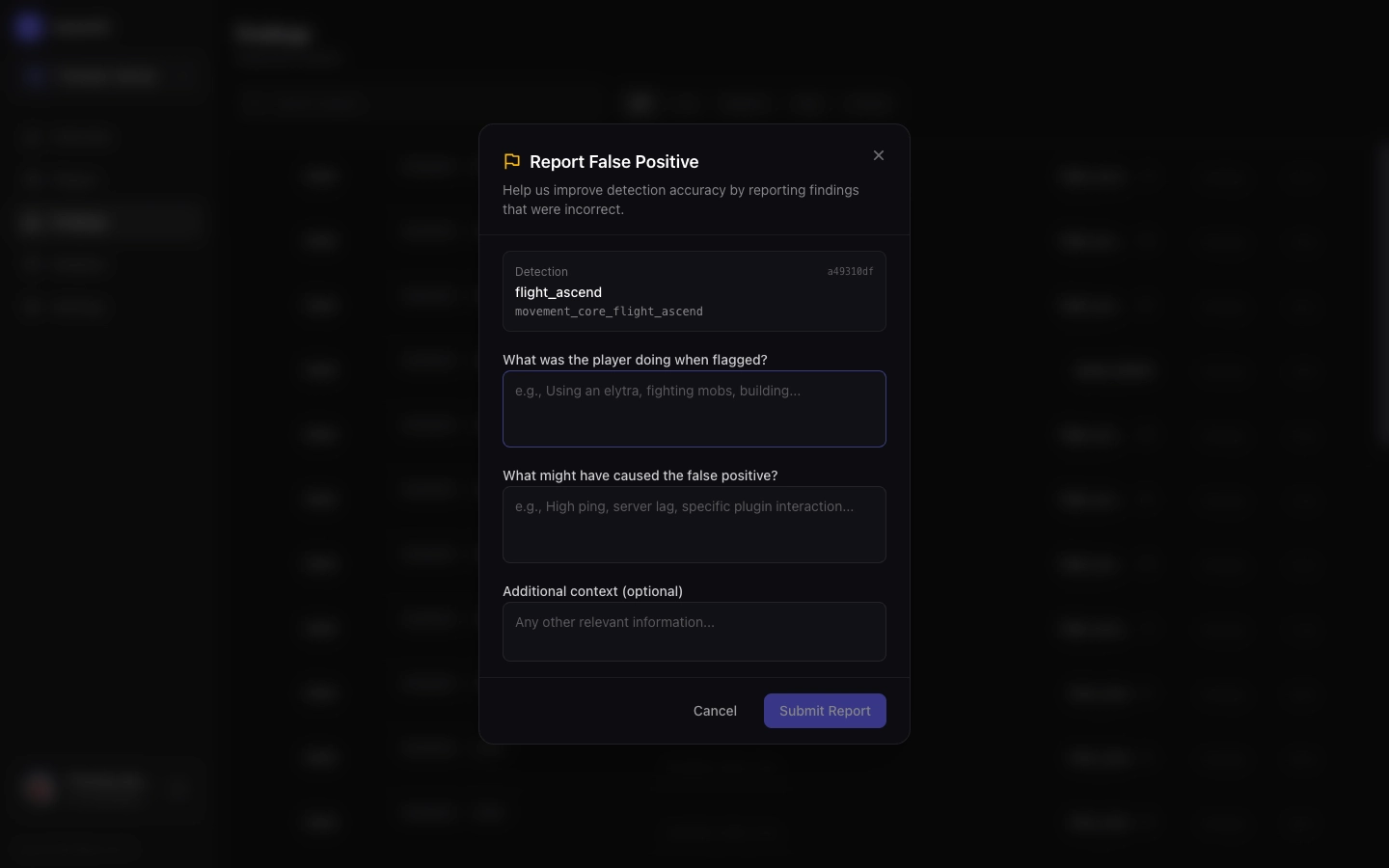
Reporting False Positives
If a detection is incorrect:
- Find the finding in the list
- Click the flag icon (🚩)
- Fill out the false positive report
What to include:
- What the player was actually doing
- Why you believe it’s a false positive
- Any relevant context (ping, server conditions)
See Reporting Issues for details.
Understanding Check Names
Check names follow a pattern: category_tier_checkname
Examples:
movement_core_flight_ascend- Core movement check for upward flightcombat_advanced_aim_headsnap- Advanced combat check for suspicious aim
See Detection Checks for a full reference.
Filtering and Search
Use the search box to filter findings by:
- Player name
- Check name
- UUID
Taking Action
During the beta, AsyncAnticheat does not automatically punish players. You must manually review findings and take action through your existing moderation tools.
Future versions will support:
- Automatic kick/ban based on thresholds
- Webhook notifications
- In-game staff alerts